Print checklist
- Use US Letter paper (8.5 x 11 inches) in portrait orientation
- Print at 100% or Actual Size
- Disable Fit to Page, Shrink, and similar scaling options
- Verify the built-in rulers before anyone uses the chart
- Reprint if the rulers are off

Printable PDF · 16-inch setup
QuickAcuity offers both a full-size near chart and a compact pocket card, each calibrated for a standard 16-inch (40 cm) setup on US Letter paper. Both versions include ruler checks before use.
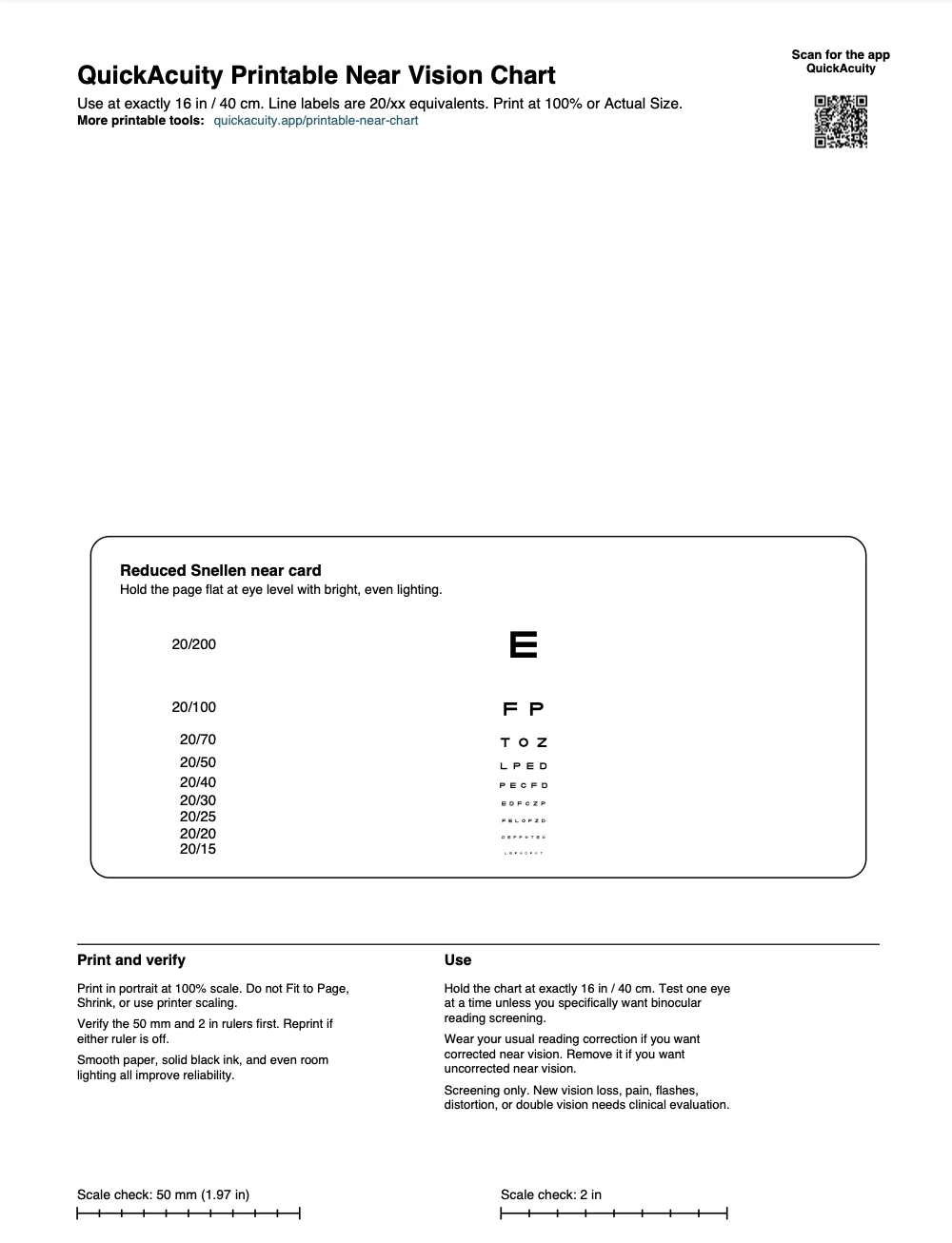
Preview shown is the full-size PDF. The pocket download trims down to a more compact card for folding, cutting, or lamination after the print scale is verified.
Why 16 inches
The PDF uses the same visual-angle logic as a wall chart, reduced to near-card distance. Hold it at exactly 16 inches, keep the page well lit, and verify the rulers before anyone uses it.
Use the person's usual readers or bifocals if you want their corrected near result. Remove them if you want uncorrected near screening.
Use the matching printable Snellen chart for a 10-foot setup on the wall.
Editorial review
Medically reviewed by William Dirkes, MD, FAAEM for QuickAcuity, published by Dirkes Medical, PLLC.